
Your AI apps, on your terms
Claude, Codex and Cursor can search and read your mail on your Mac. Every change asks you first, and they can never send or delete.
Gmail, iCloud, Outlook, Yahoo, Fastmail and any IMAP account in one fast, native Mac app. A private AI assistant that runs on your Mac, not in someone’s cloud. Pay once. Never a subscription.
macOS 14 or later · Apple silicon and Intel
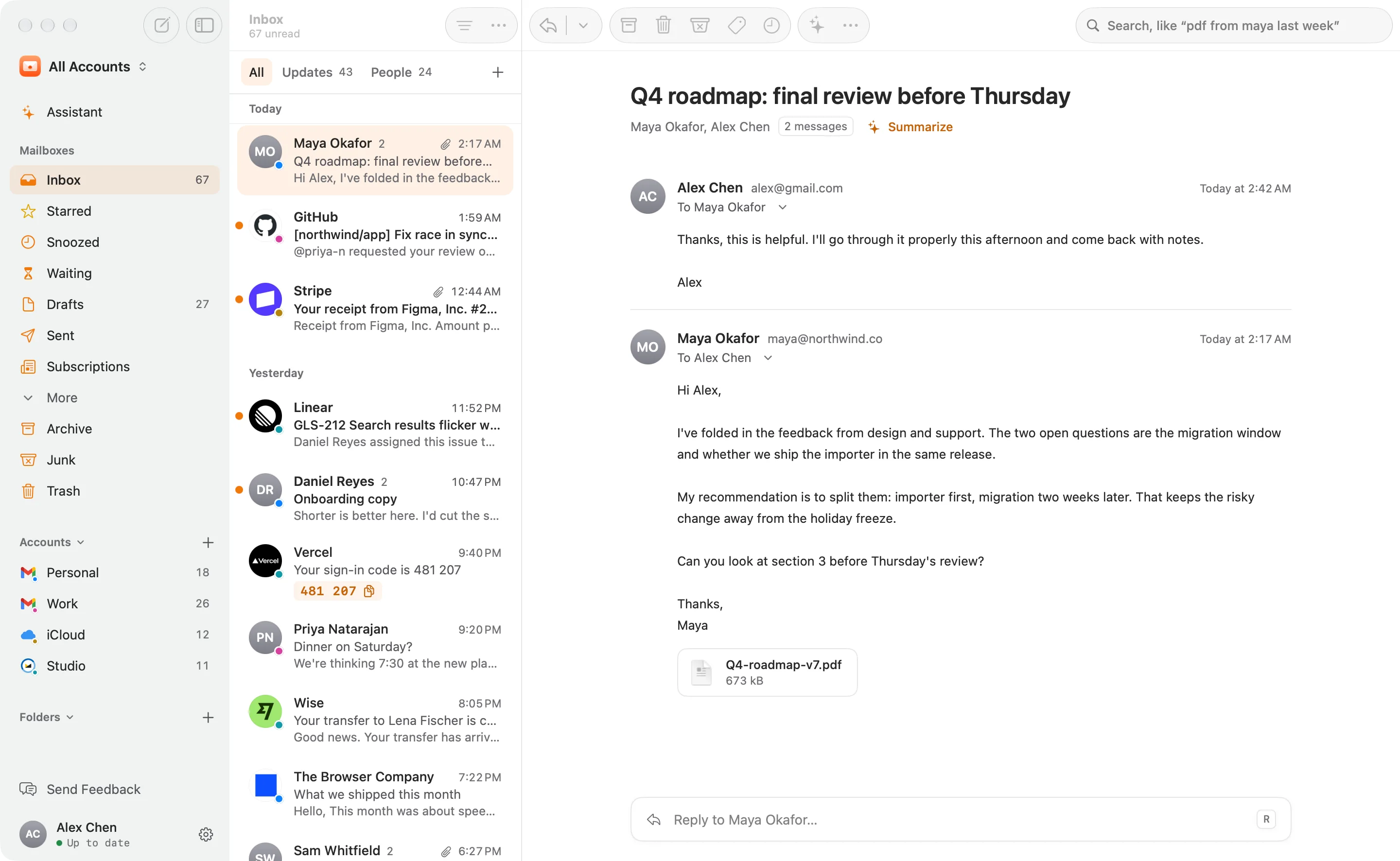

See it in action
Built in Swift for the Mac. It opens fast, scrolls smoothly through years of mail, and feels like it came with your Mac.
Your mail goes straight between your Mac and your provider. There is no Glassmail mail server to see it.
One price, every account, every version 1 update. No subscription, no account to make, no AI fee.
Private AI, built in
Glassmail’s built-in AI reads, summarizes and writes on your Mac, so your mail isn’t sent to an AI company to do it. There’s no extra subscription, and it keeps working on a plane.

“What needs me today?” “Who hasn’t replied?” Answers come back as the actual conversations, sorted into what needs you and what can wait, with one click to act.
Summarize turns a long back-and-forth into a few lines: what it’s about and what you’re being asked to do, with the dates.
It learns your greeting, length and sign-off from mail you’ve sent, so drafts sound like you wrote them. Because you did, mostly.
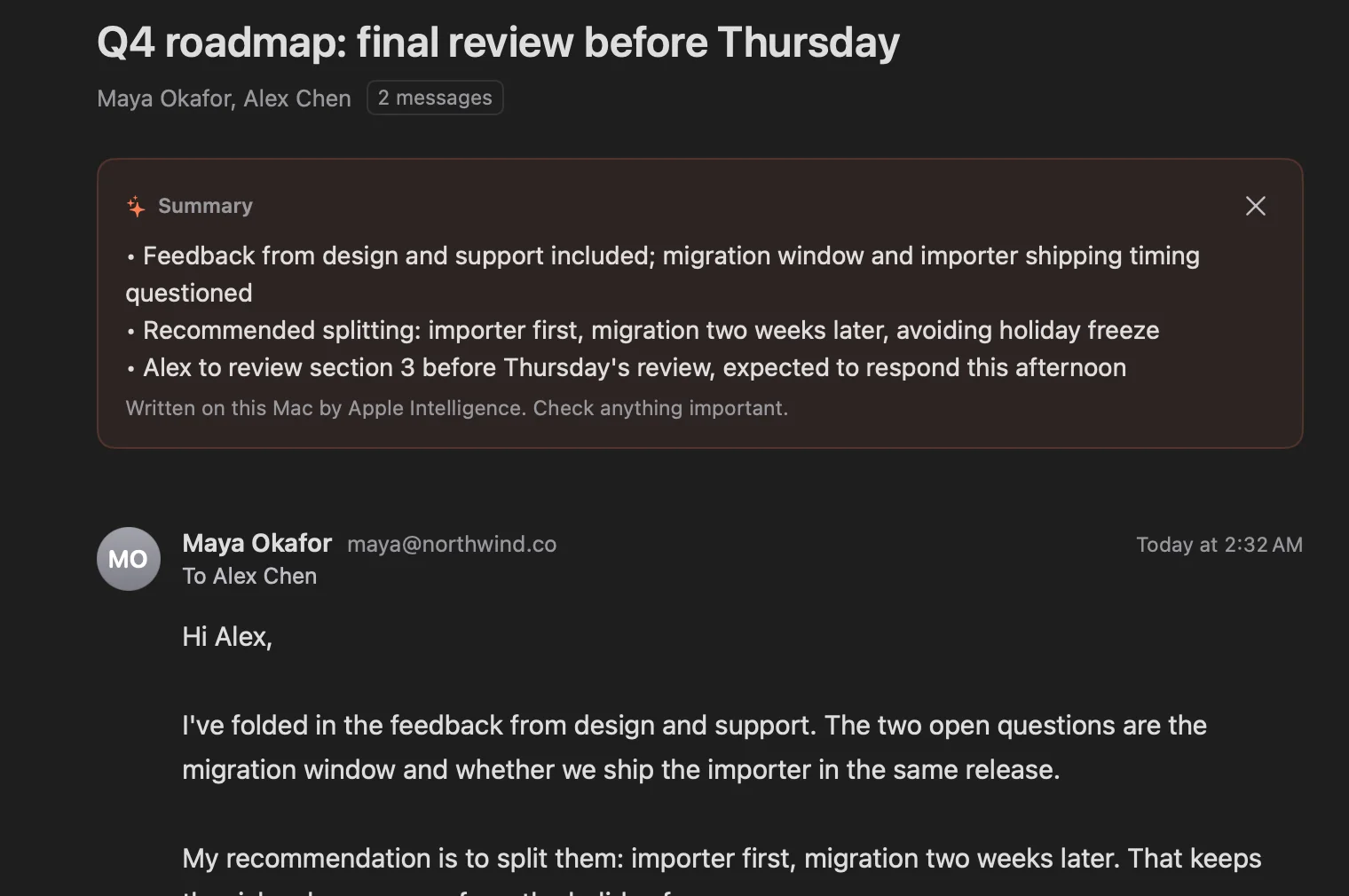
A real summary, written by Apple Intelligence on the Mac this screenshot was taken on. The app is shown in English.
Today
When nothing is open, Glassmail shows who’s waiting on you, the sign-in code you just asked for, and who you’re still waiting to hear from. One sentence, then the few conversations that matter.
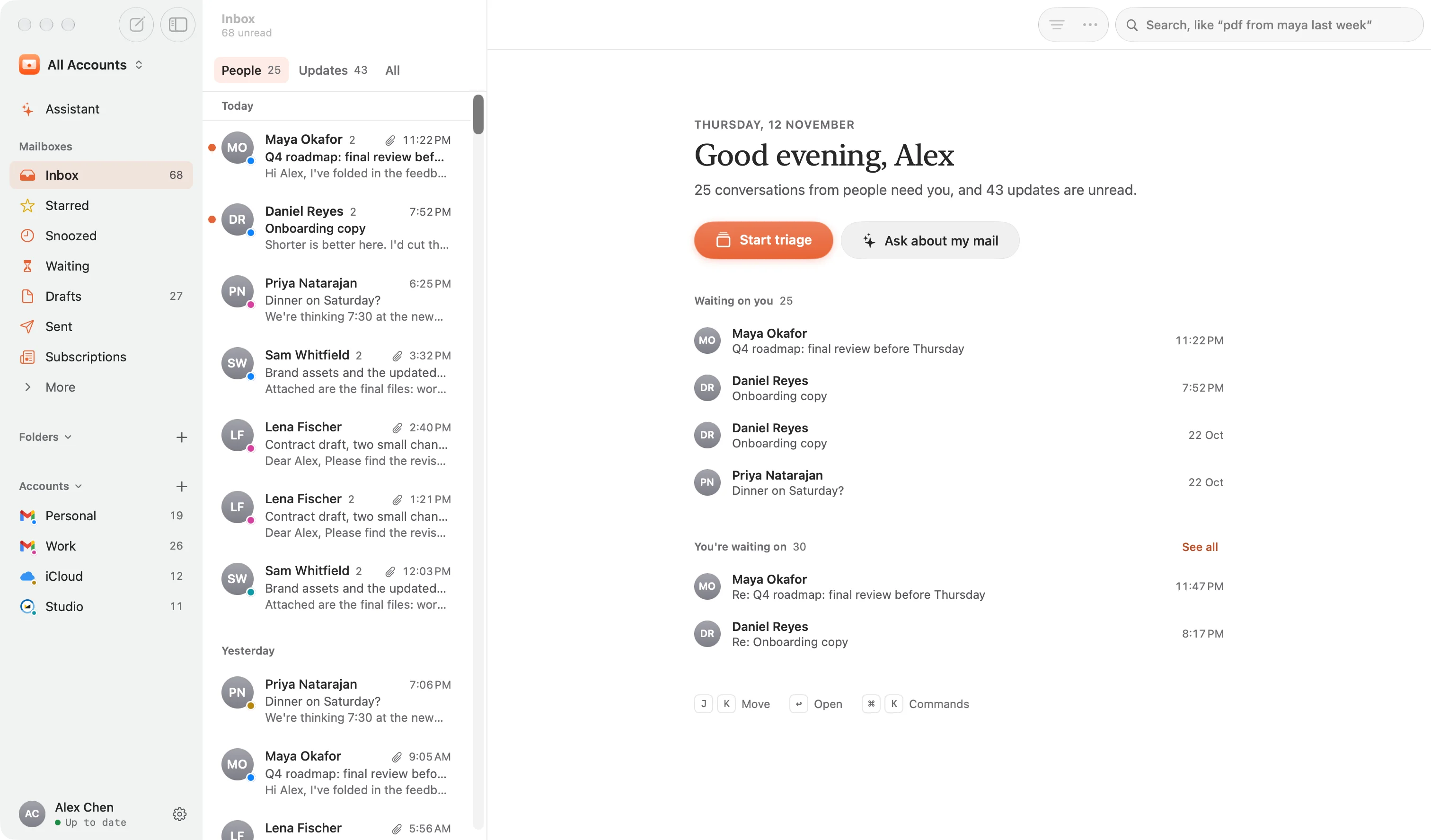
Triage
Triage puts one conversation in front of you and everything else out of the way. Decide, press a key, and the next one is already there. A bar shows how close you are.
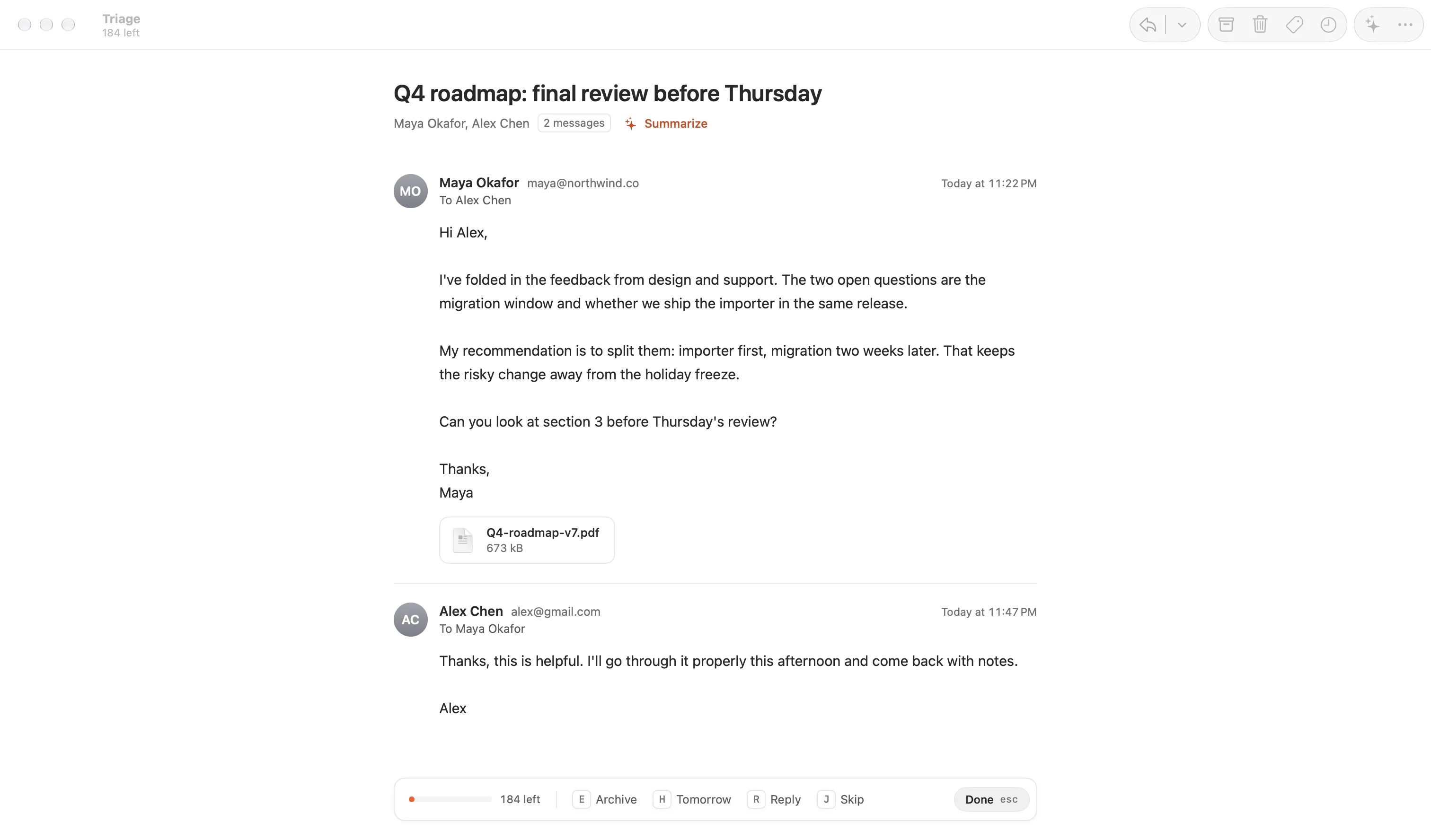
Write with AI
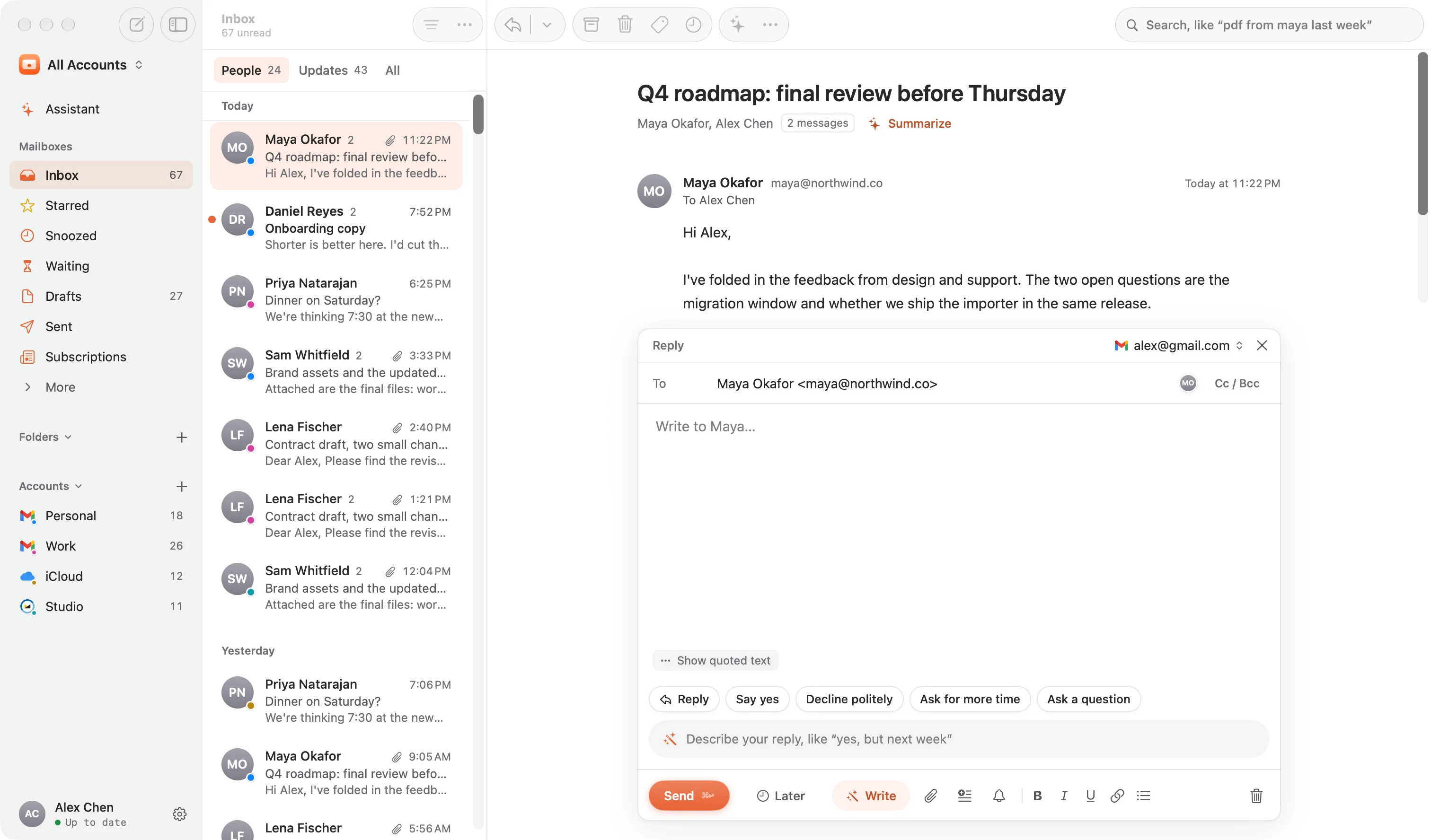
Say “yes, but next week” and a reply appears in your voice, learned from mail you’ve sent. Polish it, shorten it or warm it up in a click, and undo any step. It runs on your Mac with Apple Intelligence or a small model you download.
Made for the way you work
Claude, Codex and Cursor can search and read your mail on your Mac. Every change asks you first, and they can never send or delete.
Workspaces show one set of accounts at a time. Switch with ⌃1 and ⌃2.

Light, warm Paper, Dark, Graphite and true Black.
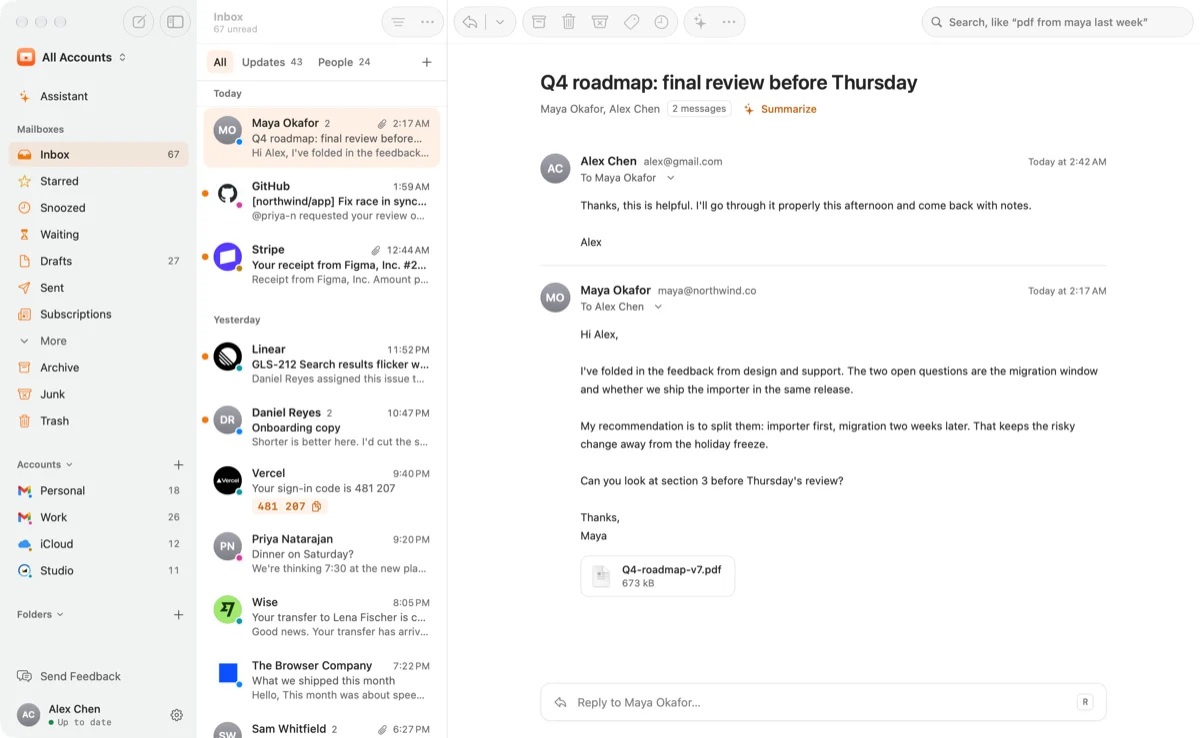
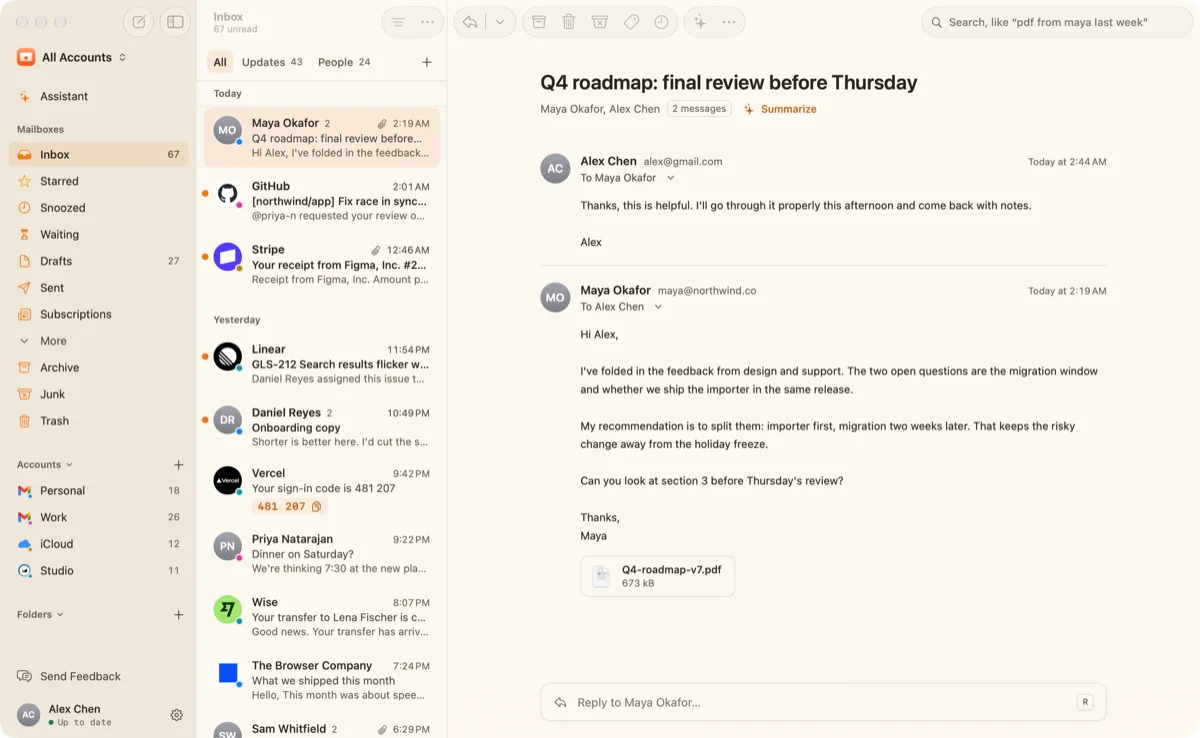
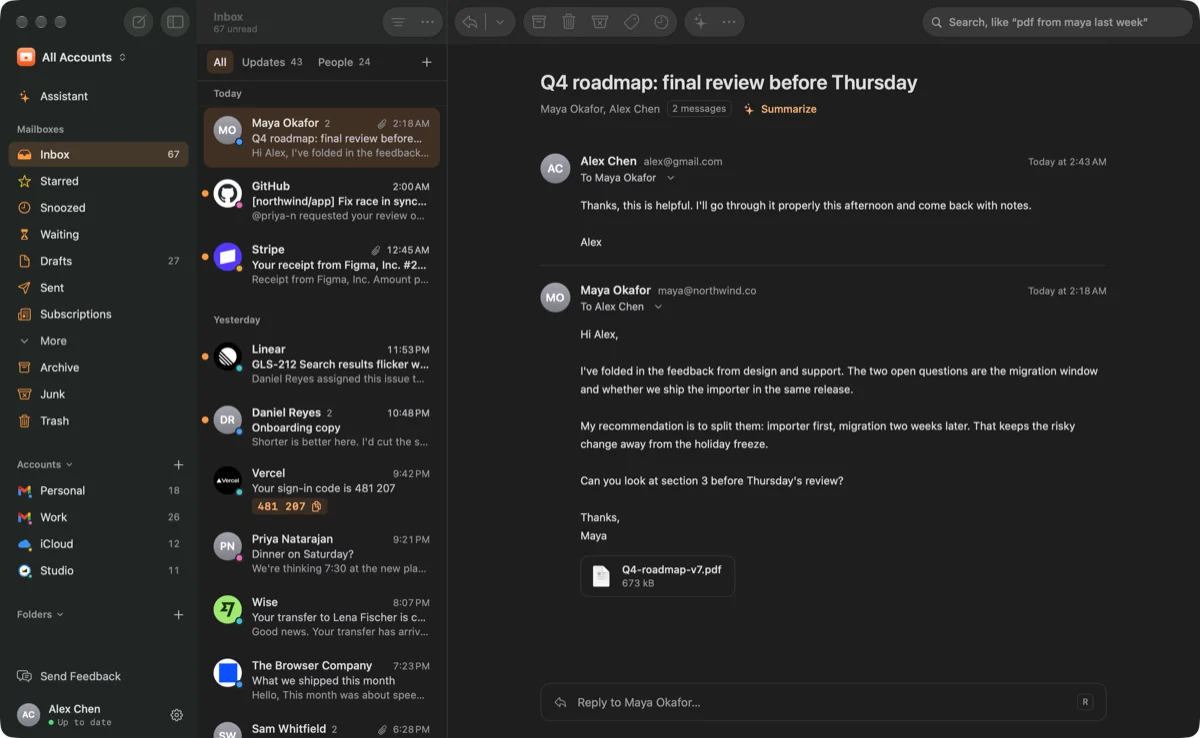
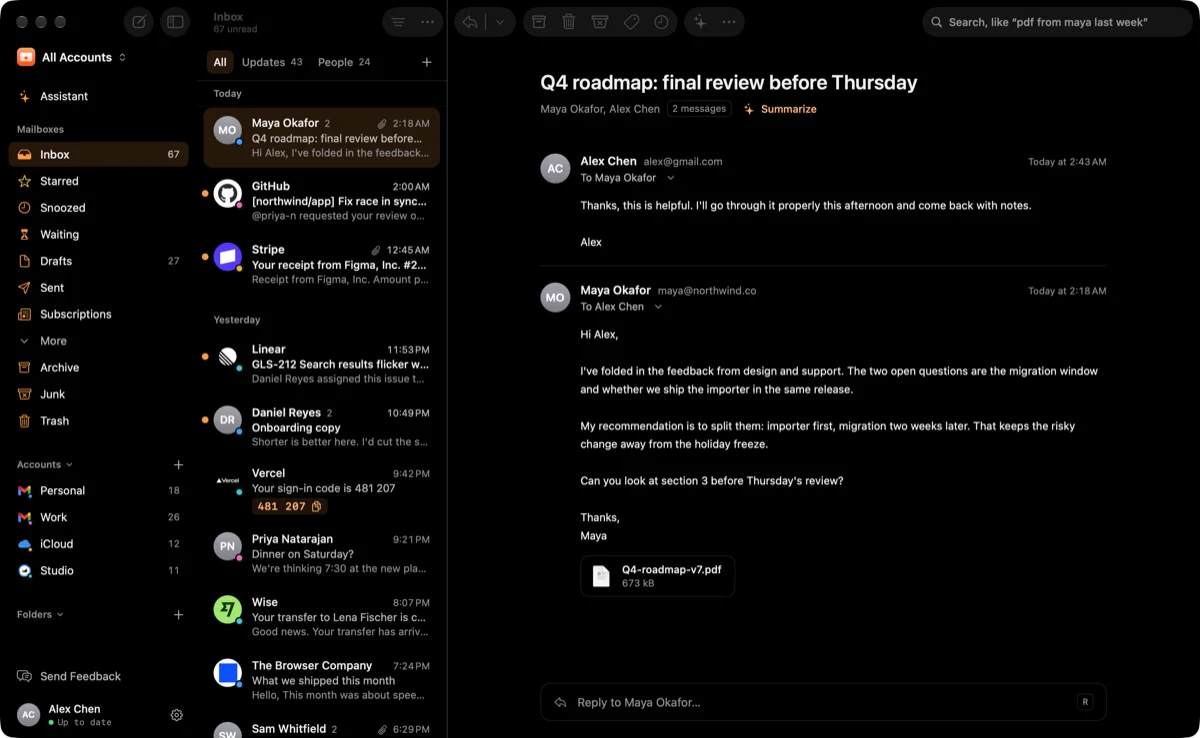
Copy a sign-in code, archive or snooze without opening the app.
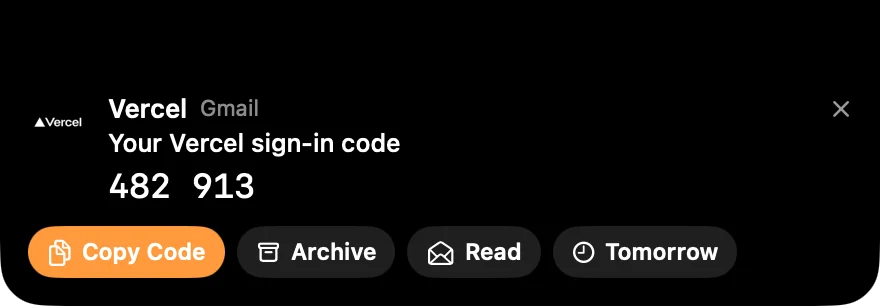
Glassmail understands people, files and dates, across every account.
Schedule a message, undo a send, or snooze an email until you’re ready. Snoozed mail leaves the inbox on your phone too.
And everything else
Mail from people first. Receipts, notifications and newsletters wait in Updates, bundled by sender.
A ring counts down the seconds you have to take it back. Your draft comes back exactly as it was.
Schedule a message, or get a nudge if nobody replies in three days.
Every newsletter in one list, with one-click unsubscribe and archive-all.
The invisible images that tell senders you opened their mail are removed first.
Read, archive and write on a plane. It all syncs the moment you’re back.
⌘K for everything, single keys for the rest: E to archive, R to reply, J and K to move.
Archive, mark as read or copy a sign-in code right from the notification.
Turn on M↓ to write bold, headings and lists, shown as you type. Paste pictures right into the text.
Keep any conversation as a PDF, or print it with ⌘P, pictures included.
A sender pretending to be your bank, or a look-alike domain, gets a clear warning before you trust it.
One encrypted backup carries your accounts, licence, rules and settings. Your mail downloads again on its own.
No card, no account, nothing to cancel. Add your accounts and use every feature. If you love it, pay once and keep it.
Privacy
Glassmail has no mail server. Your Mac talks to your email provider, and every other connection it makes is listed in our privacy policy.
Read the privacy policyCompared
Already happy with Apple Mail? It’s free and good at the basics. Glassmail is for everything after them: people before newsletters, one-key triage, codes you never open, search you can talk to, and an assistant that knows your mail. For $29, once.
| Feature | Glassmail | bytemail | Apple Mail | Superhuman | Mimestream |
|---|---|---|---|---|---|
| Price | $29 once | $39.90 a year, or $99 lifetime | Free with your Mac | $25–40 a month | $49.99 a year |
| Cost over 3 years | $29 | $119.70, or $99 lifetime | $0 | From $900 | $149.97 |
| Free trial | 14 days, no card | 7 days, card taken at the start | — | — | 14 days, no card |
| Intel Macs | Yes, macOS 14 and later | No, Apple silicon only | Yes | In the browser | Yes |
| Accounts | Gmail, iCloud, Outlook, Yahoo, Fastmail, any IMAP | Gmail, iCloud, Outlook, Yahoo, Fastmail, any IMAP | Gmail, iCloud, Outlook, Yahoo, any IMAP | Gmail and Outlook | Gmail only |
| AI | Built in and private, on your Mac. No key, no extra cost | Apple Intelligence on macOS 26, or your own key or local model | Apple Intelligence summaries and Smart Reply, on supported Macs | In the cloud; full AI on Business | — |
Regular prices from each company’s website, checked 17 November 2026. Sales may apply; check their sites for current plans. “—” means not offered or not stated.
Side by side: Glassmail vs Apple Mail · Glassmail vs Superhuman · Glassmail vs Spark · Glassmail vs Mimestream · Glassmail vs Canary · Glassmail vs Airmail · Glassmail vs Outlook · Glassmail vs Thunderbird
Pricing
No subscription, no account, no seats. One price for the app and every update in version 1, and the price only goes up from here.
 Early price · Next 100 buyers
null of 15 early licences left
Want to try it first? Download and use every feature free for 14 days. No card needed.
The price goes up as more people buy
Buying today saves $20 on the standard price. Compare that with a year of most mail apps.
Questions
Something else? Write to us. A person answers. Or join the Discord to ask for help, report a bug, or share an idea.
Gmail and Google Workspace, iCloud, Outlook.com, Hotmail and Microsoft 365, Yahoo and AOL, Fastmail, and any other IMAP account, including custom domains. Glassmail finds the right servers from your address. Gmail, iCloud and Yahoo ask mail apps to use an app password; Glassmail walks you through making one in about a minute. Microsoft accounts sign in with Microsoft.
No. There is no Glassmail mail server. Your Mac talks directly to Gmail, iCloud or your provider, the same way Apple Mail does. Passwords are kept in your Mac’s Keychain, and your mail is stored only on your Mac. The one other thing Glassmail sends is your licence check: the key, this Mac’s name and a hashed ID go to Polar, our payment provider.
On macOS 26 or later with Apple silicon, Glassmail uses Apple Intelligence. On any other Mac, including Intel Macs and macOS 14 and 15, you can download a small model in Settings › AI. Either way it runs on your Mac and nothing is sent anywhere. The AI is optional; everything else works without it.
Yes. Glassmail is free for 14 days with every feature, on your own accounts. After that it asks for a licence key, and your mail stays readable either way.
You can try everything free for 14 days first, so purchases aren’t refundable, except where the law requires it. If something went wrong with a payment, like being charged twice, email us and we’ll put it right.
No. Download it, add your accounts and use everything for 14 days. There is no card to enter, no account to make and nothing to cancel, so you can never be charged by surprise.
Yes. Glassmail connects to the same accounts directly and doesn’t change Apple Mail at all. Use both side by side while you decide: archive or read a message in one and it’s archived or read in the other.
Export an encrypted backup in Settings › General and import it on the new Mac. Your accounts, licence, rules, snippets and settings come with it, and your mail downloads again from each provider.
One licence works on up to three of your Macs and includes every version 1 update. There is no subscription and no account to create. If there is ever a version 2, upgrading will be optional.
Your licence never expires. Every 1.x update is included, and Glassmail keeps working on your Macs whether or not anything comes after it. If there is ever a version 2, upgrading will be optional and paid for separately; nothing you already own stops working or becomes a subscription.
Yes. Glassmail is a universal app for Apple silicon and Intel Macs running macOS 14 Sonoma or later.
The app itself is in English today. This website is translated so you can decide whether Glassmail is right for you; more app languages will follow.
An iPhone app is on the way. Glassmail is a Mac app today, and your mail stays with your provider, so Mail on your iPhone keeps working until then. Windows and Android are planned too.
Glassmail is made for people, not shared inboxes. There are no seats, no admin console and no shared folders.
Yes. Everything you’ve synced is on your Mac. Archive, delete, star and write while you’re offline, and Glassmail sends it all when you’re back.
Community
Ask a question, report a bug or share an idea. Every message gets read, and much of what shipped this week started there.

Every account, one beautiful Mac app, and a price you pay once.
macOS 14 or later · Apple silicon and Intel · 14 days free, no card · Pay once
